How to Connect Second PS5 Controller Easily Guide
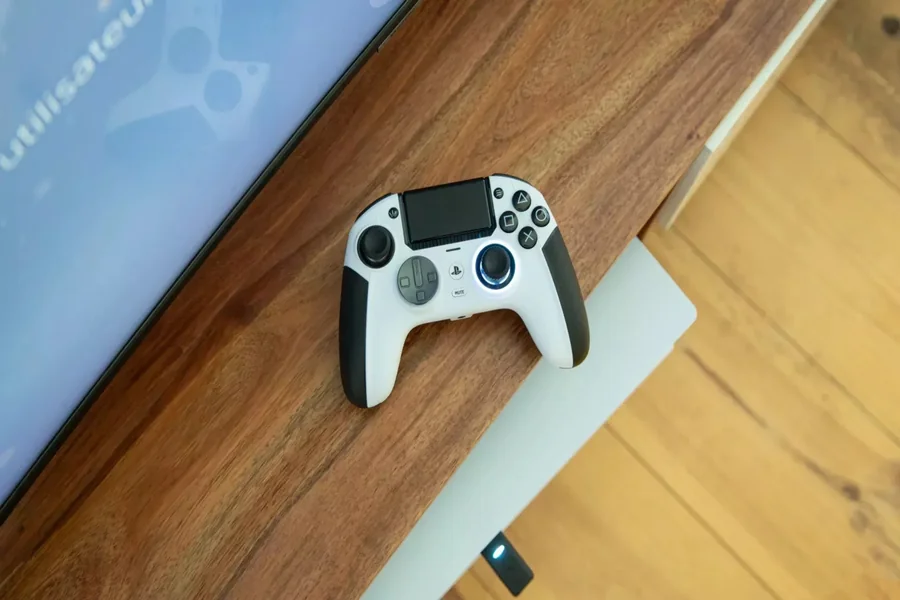
Learning how to connect second ps5 controller is important for anyone who wants to enjoy games with friends or family. The PlayStation 5 supports multiplayer gaming and shared screen experiences. Adding another controller is simple once you understand the steps.
Many users think the process is difficult but it is actually quick and easy. You do not need advanced skills or extra tools. With the right steps you can connect another controller in minutes.
This guide explains how to connect second ps5 controller in a clear and friendly way. It helps you enjoy gaming without frustration or confusion.
Basic Steps to Connect Second PS5 Controller
To understand how to connect second ps5 controller you need to start with the console turned on. Make sure your main controller is already connected and working.
Take the second controller and connect it to the PS5 using a USB cable. This cable should support data not just charging. Once connected press the PlayStation button in the center of the controller.
The console will detect the controller and assign it to a user profile. You can create a new profile or use a guest option. After this the controller is ready to use.
Once paired you can unplug the cable. The controller will stay connected wirelessly. This makes it easy to start multiplayer games or co op sessions.
Wireless Connection and Pairing Tips
If you want to know how to connect second ps5 controller without cables it is also possible. The controller must already be paired once using a cable. After that it can reconnect wirelessly.
Turn on the PS5 and press the PlayStation button on the second controller. It should connect automatically if it was paired before.
If it does not connect try resetting the controller. There is a small reset hole on the back. Use a pin to press it gently. Then reconnect using a cable and try again.
Make sure the controller is charged. Low battery can prevent proper connection. Charging for a few minutes often fixes this issue.
Using Two Controllers in Games
Knowing how to connect second ps5 controller allows you to enjoy local multiplayer games. Many games support split screen or shared play modes.
Once both controllers are connected you can assign each one to a player. Games usually prompt you to press a button on each controller to join.
You can also use the second controller for navigation or media control. This is helpful when watching videos or sharing control with someone else.
The PS5 system allows easy switching between users. This makes it simple for friends and family to join in without changing settings each time.
Common Issues and Easy Fixes
Sometimes users face issues while learning how to connect second ps5 controller. One common problem is the controller not responding. This often happens due to low battery or pairing issues.
Restarting the console can help reset the connection. Also check for system updates since outdated software can cause problems.
If the controller still does not connect try using a different USB cable. Some cables only charge and do not support data transfer.
Keeping controllers updated ensures smooth performance. Updates improve compatibility and reduce connection errors.
Final Thoughts
Learning how to connect second ps5 controller makes gaming more fun and social. The process is simple once you understand the steps. With a few actions you can enjoy shared gaming experiences easily.
The PS5 is built for smooth multiplayer sessions. Adding another controller opens the door to more fun and connection.
Below are common questions to help you further.
FAQ
What is the easiest way to connect second ps5 controller
Use a USB cable to connect the controller and press the PlayStation button.
Can I connect second ps5 controller without a cable
Yes, after it has been paired once it can connect wirelessly.
Why is my second controller not connecting
Check battery level cable quality and reset the controller if needed.
Can two players use the same PS5 account
Yes, but it is better to create separate profiles for full features.
Do I need internet to connect second controller
No, internet is not required to connect a second controller.